Tel: 0208 748 1170
Email: support@wordshark.co.uk Try phoning us first.
Reading, writing & spelling

Email: support@wordshark.co.uk Try phoning us first.
Wordshark is a computer program that combines the fun and excitement of bright, multi-sensory games with the serious task of learning to read and spell.
It is used widely in schools as well as at home.
More than 60 colourful games have been designed by teachers to teach and reinforce reading and spelling using over 10,000 pre-recorded words.
You can also add your own word lists which is particularly useful for practising homework.
The varied combinations of games and word lists create both variety and motivation.
Step 1. Select a word list or set up your own words…To get to the database of words, click on ‘Change word list.’ The words are grouped into specific, carefully structured lists.
Step 2. Choose one of the games icons…. To find these, click on ‘choose game.’ (The words in your list will appear in that game.)
Step 3. Play the game! Then try the reward activity…
Step 4. Play again or pick a new game…The different games reinforce the words in various ways.
Step 5. When the words are learnt, choose a new list.
As you can see from the steps above, Wordshark is very easy to use, however there is plenty of help in using the program:
Wordshark is mostly used by students between 5 and 15. Some of the games are more suitable for younger children but many games are appropriate for any age.
Parents are often recommended Wordshark when they seek extra help for their children’s dyslexia. As a result of dyslexia, children can have a negative attitude towards learning, so Wordshark combines fun and variety to create motivation and as a result, greater confidence.
Wordshark was created by teachers with practical experience of Special Educational Needs. Both the games and many of the word lists have been specially structured to assist those with any level of dyslexia.
Examples of suitability for Dyslexic pupils:

Wordshark can either be used directly to support school work and homework (learning class spellings etc) or can be used independently to suit the student’s own pace and needs.
If necessary, the school teacher can be asked to suggest the appropriate word lists for the student.
Once students are set up by the administrator, the program will keep a note of their names and personal settings.
It is recommended that the sessions are short but frequent as this not only maintains the child’s interest but gives the necessary practice needed for success.

There are no hard and fast rules, but generally, three or four short sessions a week (about 10-15 minutes each) seem to work really well, to achieve significant gains.
Some children will need to repeatedly go over what seems to be very basic work before moving on, in order to make real progress. Equally, some children need to be encouraged to move on.
Parents should always follow the progress of their children in using Wordshark – encouraging them to try the recommended games (both for reading and spelling) and to move on through the word lists.
In terms of making the most of Wordshark, under Help in the program you can access video tutorials and the pdf manual. This same information can be accessed more easily from the ‘Using Wordshark‘ page on wordshark.co.uk’s website, which includes a pdf on tips for home users.
Yes. The program will allow you set up an account for each of your children. They will then be able to work at their own level and keep their personal settings and a record of their progress.
Please note: Wordshark is currently unavailable for android devices or in ‘App’ format
 New in Wordshark 5 PDF download (293kb)
Wordshark is a hugely versatile computer program for reading and spelling.
It uses more than 60 specially designed games to teach and to reinforce reading and spelling using over 10,000 pre-recorded words grouped in specially selected word lists. You can also add your own words. The many permutations of games and word lists create both variety and motivation.


Wordshark includes a spelling course mapped to the National Curriculum for England. It also includes a high quality phonics approach which is available for the majority of the word lists. Different games include blending sounds into words for reading and also segmenting into sounds and syllables for spelling. All common letter patterns and auditory patterns are covered, also spelling rules, syllable work for longer words, homophones, and alphabet and dictionary skills.
The tailored games and structured word lists make Wordshark especially useful for students with dyslexia as well as for general use.
The games are excellent for use on an interactive whiteboard and children enjoy playing the games on the big screen. An on-screen keypad is provided with the program.
There is plenty of help in using Wordshark:
Wordshark is mostly used by students between 5 and 15. Some of the games are more suitable for younger children but most games are appropriate for any age.
The variety of games, concepts and words make Wordshark suitable for use in both primary and secondary schools.
More information on using Wordshark for different ages and abilities
Teachers have a very wide set of word lists to choose from, grouped into courses. Several can be worked through in sequence – or dipped into as needed.
Specific courses include:
Yes! This is one of the things that Wordshark users like most about Wordshark, and it’s very easy. You can add as many lists of words as you like. You can also add your own pictures, and record the words yourself (or record your students). You can also add description and translation lists.
Records (printable) are kept once students have been added to the system. A facility is available to track specific progress.
Once students are added to the system, you can choose the words and games that they can use. This can also be done for groups of students.
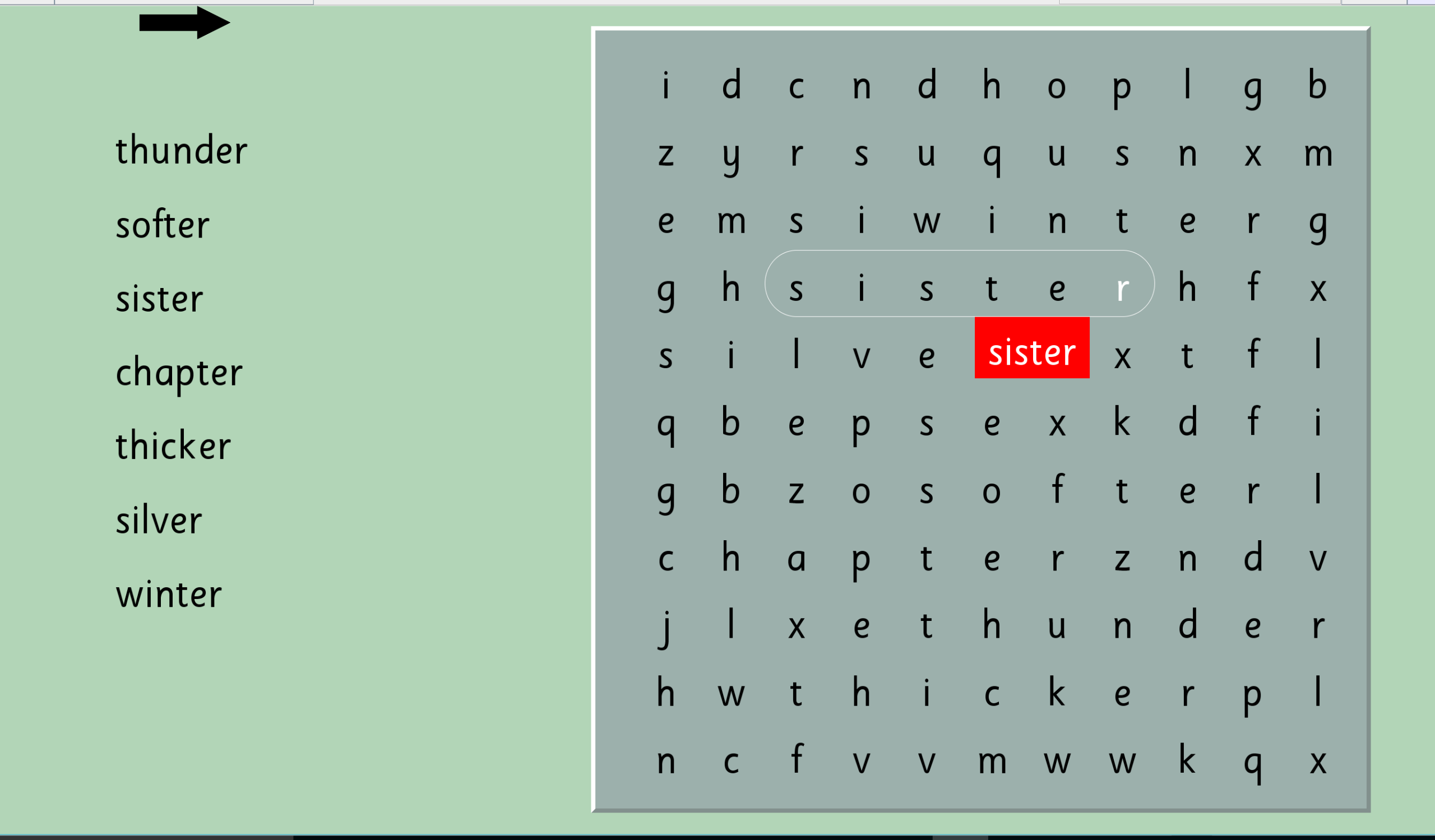
Sentence work sheets (crossword puzzles), spelling lists and word searches can all be printed out. Flash cards for each list can also be printed. (A4 size down to credit card size).
Operating systems:
Networks:
Single User DVD or USB:
Please note: Wordshark is currently unavailable for android devices, Chrome OS e.g. Chromebooks, or in ‘App’ format
New in Wordshark 5 PDF download (293kb)
Click to download PDF


Click to enlarge